Configuring Select Widget from a Static List of Values
A Select widget can be used in various ways based on the source of data. Each type of data source needs a different approach. WaveMaker Select widget works in any one of the following ways:
- Using static list of values
- Using variable data
- Using display and data value fields from a Variable
- Using database fields
- Drag and drop a Select and Label widget onto the canvas.
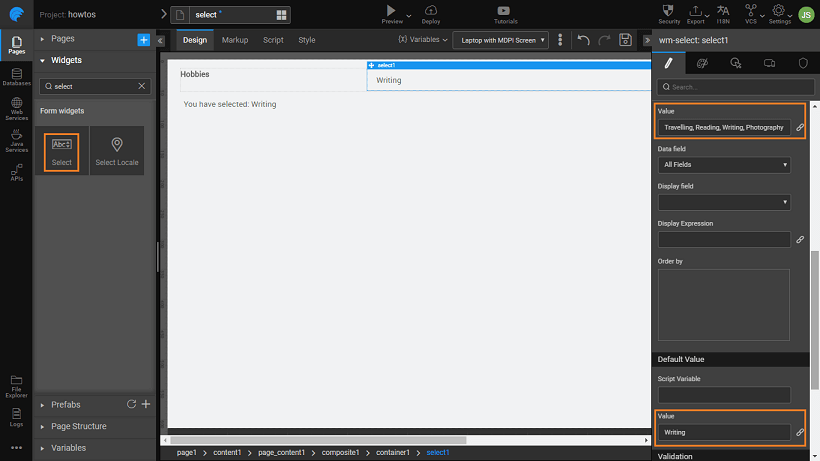
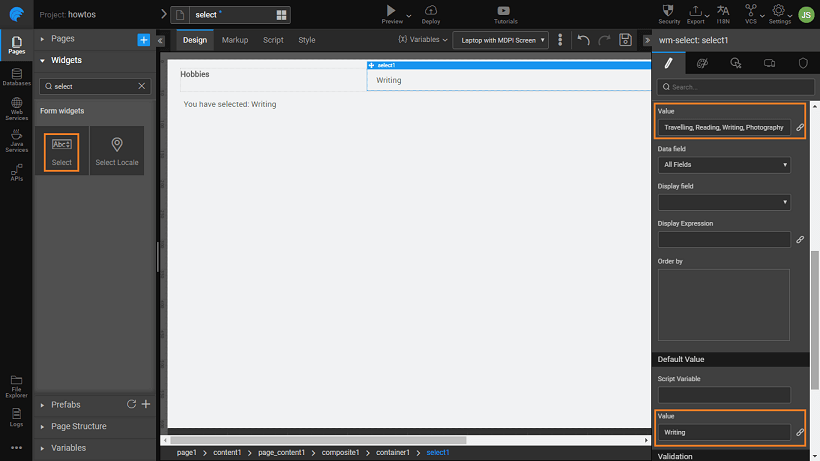
- The simplest way to use the Select Widget is to enter the values in a comma-separated format for display in the Value property under the DATASET section. In this example, we have set the value to Travelling, Reading, Writing, Photography.
- You can set the Default Value. This is the value that is seen by the user when the app runs, it should be one of the options set in the value field above. In the above example, we have set it to Writing.
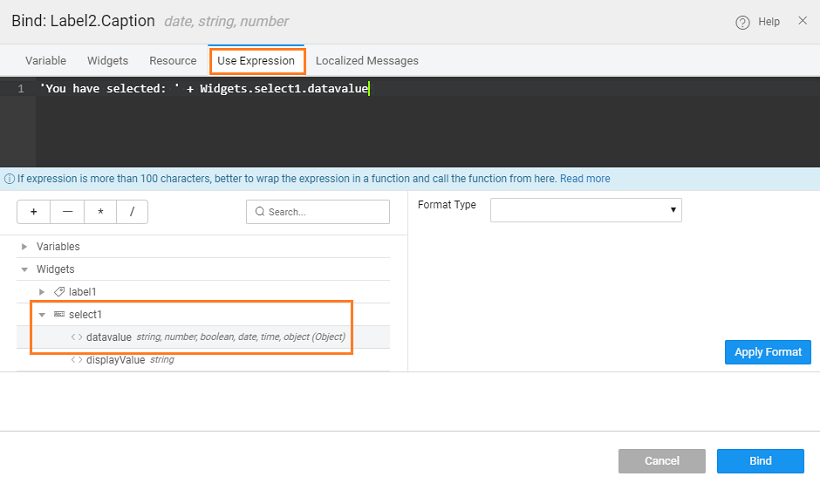
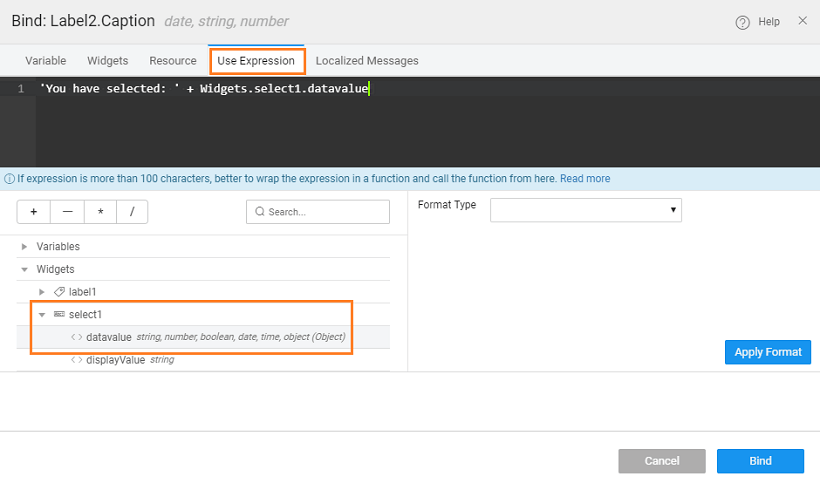
- The selection made by the user is displayed in a Label widget, by binding the select datavalue to it.
- Preview the app and see the selected item from the Select widget displayed in the label.