Building a Range Live Filter
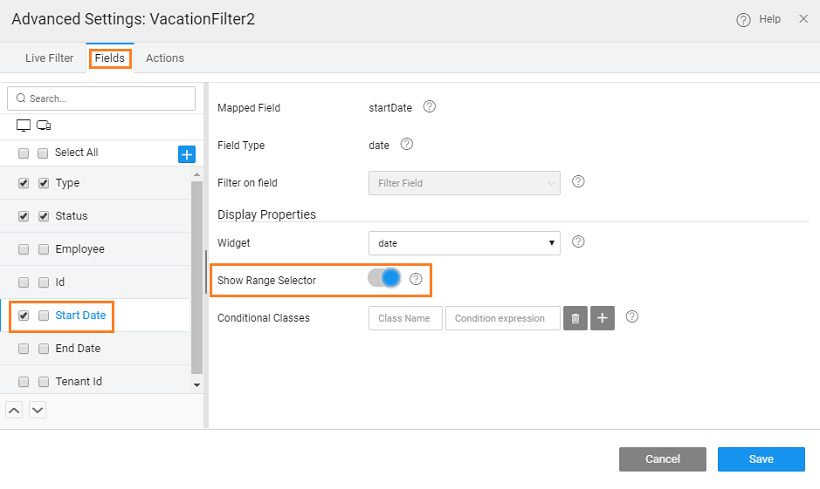
To filter data between given two values, Show Range Selector property from the Advanced Settings can be used. For example, we will how to filter the vacation details of employees between to Start Dates. We are using the hrdb Vacation table for this example.
- Drag and drop a Live Filter onto the canvas.
- Bind the Live Filter to Database CRUD Variable with hrdb as Service and Vacation as Entity
- From the Advanced Settings property, check the Show Range Selector property for Start Data field
- Here, we have also selected Type and Status fields. This is optional.
- For seeing the results, we will use a Data Table
- Drag and drop a Data Table
- Bind the Dataset Value property of Data Table to the result node of the Live Filter created above.
- Run the app and select a range of dates for Start Date